
Rehaunted Controls
Expected keyboard, mouse, and controller defaults — always verify in Options.
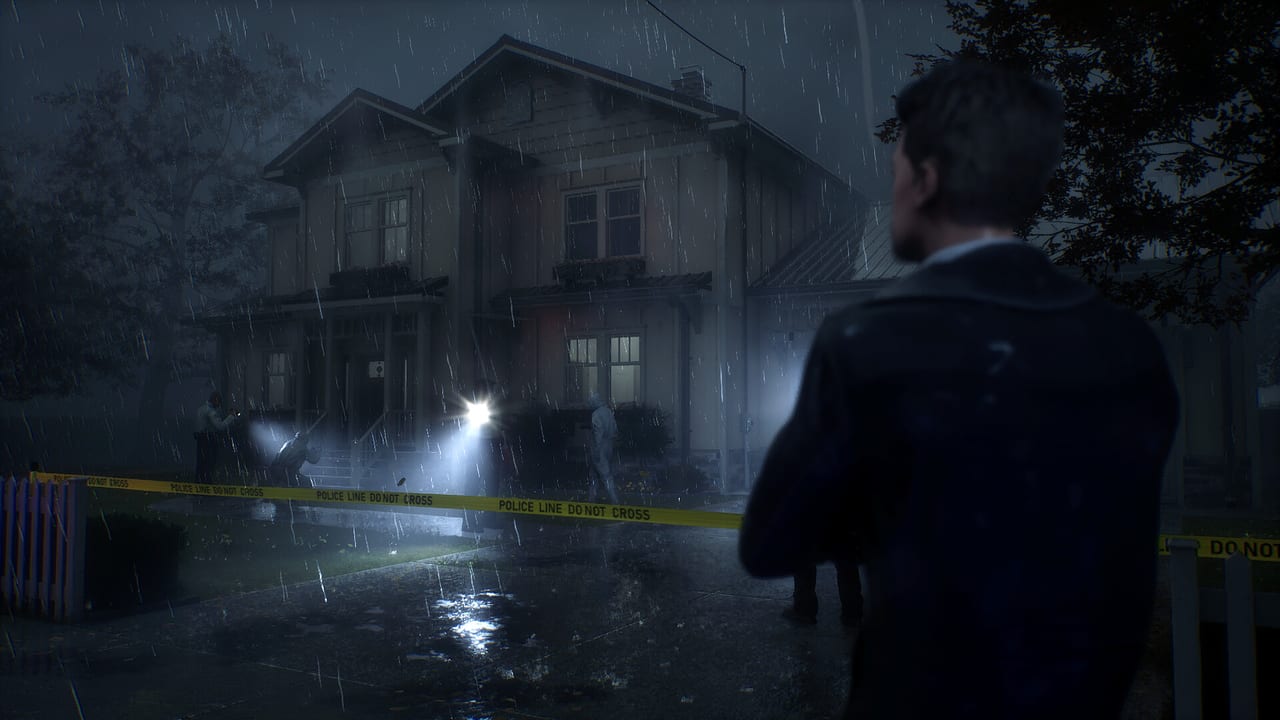
Rehaunted is a first-person investigation game, not a shooter, but it still uses the muscle memory of a modern PC horror title: look with the mouse, walk with WASD, interact with a face button or click, and pull forensic tools from a radial menu. Cauchemar has not published a complete official control chart as of the 14 Sep 2026 Steam launch. Everything below is an expected default based on that genre, plus what launch players report from the Options screen. Treat it as a checklist to confirm, not as a factory spec sheet.
If a bind in this table does not match your copy, your copy is the authority. Open Options as soon as you gain control of Connor Raines, walk every action once in a safe room, and only then start a real evidence sweep. A missed interact key in a dark hallway is how people decide the game is “broken” when the prompt was simply on a different button.
Keyboard and mouse — expected defaults
| Action | Expected bind | Confirm in Options |
|---|---|---|
| Move | WASD | Yes |
| Look | Mouse | Sensitivity + invert |
| Interact / confirm | Left mouse or E | Yes |
| Cancel / lower tool | Right mouse or Esc | Yes |
| Sprint | Left Shift | If present |
| Crouch | Left Ctrl or C | If present |
| Jump | Usually unused | Do not assume a jump |
| UV / flashlight toggle | F or a dedicated tool slot | Yes |
| Magnifier | Hold right mouse, or a tool slot | Yes |
| Camera | Tool slot or radial | Yes |
| Radio | R, T, or radial | Yes |
| Evidence board | Tab, B, or menu face | Yes |
| Radial tool menu | Tab, Q, or a mouse button | Critical |
| Pause / Options | Esc | Yes |
Rehaunted is a walking investigation. Do not expect a fire bind, a reload, or a lean-to-peak combat loop. If Space does nothing, that is probably correct. If you bind jump out of habit, you may steal the key from interact or radio.
Mouse look should be the first setting you touch. Magnifier work is about holding a lens on a tiny stain, a print, or a line of handwriting. Too-high sensitivity makes that lens swim. Too-low sensitivity makes a chase feel like turning a boat. Set a middle value in a lit room, then test it once with the magnifier raised.
Controller — Xbox and PlayStation layouts
The launch build includes full controller support for Xbox and PlayStation layouts. Steam is still “learning about this game,” so the store page may not list every input badge on day one. In-game support is what matters.
| Action | Expected Xbox | Expected PlayStation | Notes |
|---|---|---|---|
| Move | Left stick | Left stick | Walk, do not skate |
| Look | Right stick | Right stick | Lower look accel for magnifier work |
| Interact | A | Cross | Hold vs tap — test both |
| Back / lower tool | B | Circle | Clears overlays |
| UV / flashlight | Y or LB | Triangle or L1 | Confirm |
| Camera / magnifier | LT / RT or X | L2 / R2 or Square | Often analog |
| Radio | D-pad or X | D-pad or Square | Do not key during a chase |
| Radial tools | LB/RB hold or View | L1/R1 hold or touchpad | Learn this first |
| Evidence board | View / Back | Touchpad | Pause-safe |
| Menu | Menu / Start | Options | Sensitivity lives here |
PlayStation controllers on PC usually need Steam Input. If glyphs show Xbox buttons on a DualSense, that is a Steam overlay question, not a missing feature. Enable Steam Input for the Rehaunted profile, then re-open Options so the game sees the pad.
A mouse is still kinder to the magnifier. Many players will do room navigation on a pad and switch to mouse for close inspection. That hybrid is fine. Rehaunted is single-player; nobody is waiting on your loadout swap.
The radial menu is the real control scheme
Connor does not carry a rifle with five fire modes. He carries a kit. Launch players describe a radial menu for swapping UV, camera, magnifier, and radio. That menu is the control scheme that will actually fail you.
Practice opening and closing it in the first safe interior, before anything supernatural happens. You want a reflex: open, highlight, release, tool is up. If you mash, you will either select the wrong gadget or leave the menu stuck on screen. Early reports mention a stuck radial menu and a flashlight overlay that will not dismiss. If that happens:
- Open the radial again and select the same tool, then select empty hands if the game offers that.
- Toggle the UV / flashlight bind twice.
- Open and close the pause menu.
- If the overlay still owns the screen, quit to the main menu and reload. Do not keep walking into new rooms half-blind.
Those steps belong next to tips and bugs. They are control problems, not story problems.
Radio, timers, and looking around
The radio is a control and a conversation. You stay in contact with another detective, share findings, and pick dialogue that can widen the case. Launch players also report a radio dialogue timer that can misfire — a line expires, a prompt sticks, or the conversation desyncs from what you just found.
Do not key the radio while sprinting toward a noise. Stop, face a wall or a clear doorway, open the radio, and talk. If a prompt is on a timer, pick the option you can stand behind. There is no “correct” case file; Rehaunted wants you to build a conclusion, not speed-run a dialogue tree. How to investigate covers what to say; this page is about when the bind is safe to press.
If the entity is in the room, survival comes first. Lower the magnifier, kill the UV if it is painting you as a beacon, and use the advice on how to survive. You can photograph a stain after you still have a body to photograph with.
Sensitivity, accessibility, and first-session setup
Before the first real sweep:
- Set look sensitivity separately from UI / menu speed if the Options screen allows it.
- Toggle invert look if that is how you play every other first-person game. Do not “try it raw” on a horror title you will only run for two to three hours.
- Confirm subtitles. English has full audio; other Steam languages are interface and subtitles. Radio content is easy to miss under a drone or a scare sting.
- Brightness: dark is the point, crushed blacks are not. If you cannot tell a stain from a shadow, raise brightness one notch, not five.
- Controller deadzone: if the magnifier drifts, raise the right-stick deadzone slightly.
Then do a 60-second drill: walk a hallway, open the radial, raise UV, lower UV, raise magnifier, interact with one object, key the radio, open the board, close the board. If any step feels like a hunt for a key, fix the bind now. Getting Started assumes you can already do that drill.
When controls and bugs overlap
A clipped camera, a stuck flashlight blob, or an entity popping through geometry can feel like a bad bind. Check launch notes for the current Steam build context, then tips and bugs for workarounds. If a problem is input-specific (radial, overlay, radio timer), reproduce it once, note keyboard vs controller, and post it on Steam discussions rather than inventing a secret rebind that the game does not have.
Once the hands feel automatic, spend your attention on the detective toolkit and the walkthrough. Controls should disappear. If they stay in the foreground, the Options screen is still unfinished work.
Frequently Asked Questions
Quick answers to the most common questions.
Is there an official Rehaunted keybind PDF?
Not as of launch. This page lists expected first-person defaults. Open Options in your copy and treat that screen as the only official chart.
Does Rehaunted support PlayStation controllers on PC?
Yes — full controller support for Xbox and PlayStation layouts is in the launch build. Use Steam Input if glyphs or analog sticks misbehave, then re-check Options.
What should I do if the radial menu or flashlight overlay sticks?
Re-open the radial, toggle the light, pause, then reload from the main menu if the overlay remains. Details and other launch issues live on tips and bugs.
Can I rebind keys?
Check the in-game Options menu. This wiki will not invent a hidden remap file. If a bind cannot be changed, say so in Steam discussions with a screenshot of Options.
Is jumping or shooting part of the scheme?
No. Rehaunted is investigation horror. Expect move, look, interact, and tool swaps — not a fire key. If Space does nothing, that is likely intended.