
Rehaunted Tips and Known Bugs
Investigation habits, Update 01 mitigations, and the launch workarounds that still apply.
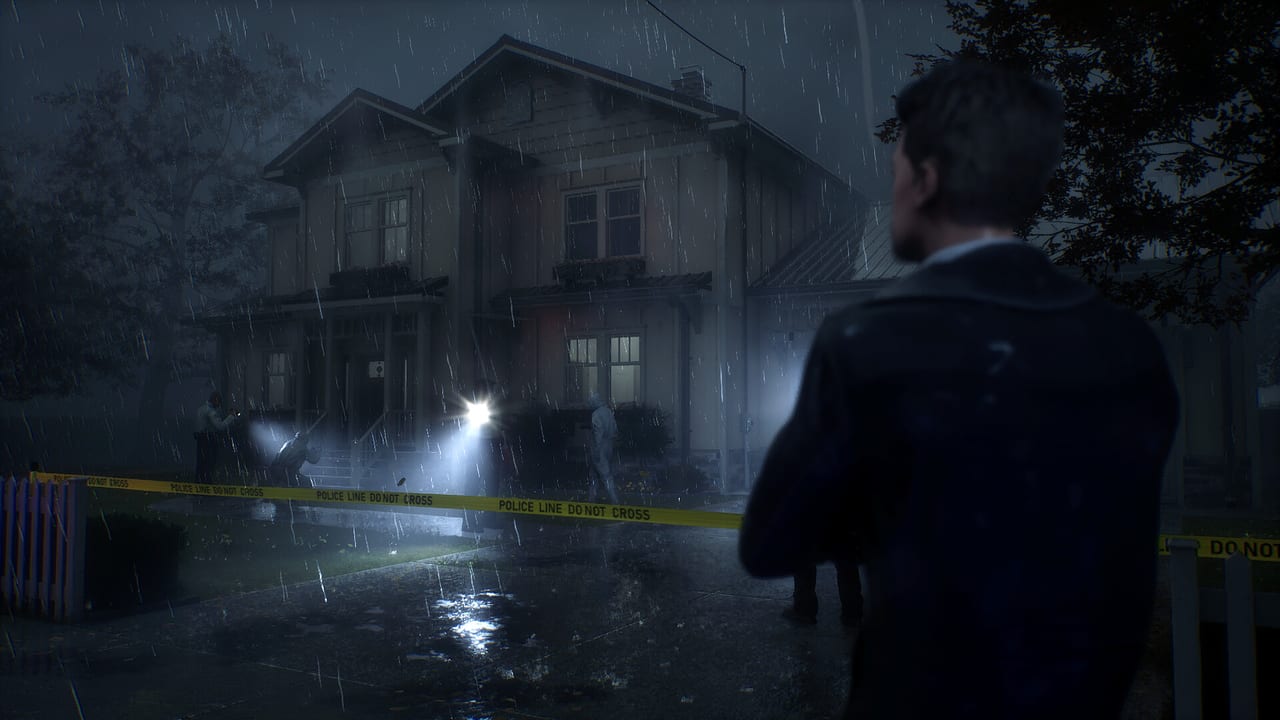
Rehaunted is a two-to-three-hour detective horror game that launched Mixed. Some of that score is taste. Some of it is the kind of friction you can play around if you know it exists. This page is a launch notebook: habits that make Connor Raines’ case go better, the bugs Update 01 already named, and the ones that patch did not list.
For the full method, use the investigation walkthrough and how to investigate. For hunts, use how to survive. First-session setup remains Getting Started. Official notes live on Update 01 Patch Notes and launch notes. Prefer those and Steam discussions over any workaround that has aged.
Investigation habits that pay off
These are not cheats. They are how the kit wants to be used.
- Three maps per room. Naked-eye, UV, magnifier. Paranormal traces and some clues are often only visible through the magnifier. If you skip the lens, you are not playing the same game as the one on the store page.
- Photograph before you theorize. The camera is how you survive your own memory when recordings disagree with blood. Shoot baselines and tool-only traces, not the entity for a souvenir.
- Radio on documentation, not on vibes. The partner detective exists to challenge you. Speak when you have a new contradiction. If you radio every cupboard you will burn attention, and you will not notice when a timed prompt is missing choices.
- Leave fights on the board. Rehaunted does not hand you one official answer. Deleting the ugly clue makes a fake ending. Endings explained is the mindset page; the habit is simply: pin the disagreement.
- Headphones, dialogue up. You need to hear hunts and radio options. Mix that buries speech turns a dialogue bug into a mysterious “the game skipped me.”
- Learn the wheel in the light. The radial menu is how you live. If it is going to stick, you want to find out before a chase.
Windows 11, 16 GB RAM, and a 1070 Ti-class GPU are the floor. Close overlays if input feels swallowed. Full controller support is listed; keep a keyboard in reach anyway for the menu bug below.
Survival habits
- Map loops while you are calm. Chases in a short house are lost in dead ends you did not notice during the sweep.
- Drop magnifier tunnel vision when audio spikes. Look, move, live, then resume the pass.
- Do not camp locked rooms or no-exit boxes. Launch reports said the entity could spawn inside sealed spaces. Update 01 adjusted haunting spawn points so enemies should no longer appear in small or enclosed rooms with no escape space — “should no longer” is the studio verb, not a hide-closet guarantee. A lock may still keep you in. Details sit in how to survive.
- After a hunt, resume the layer you were on. A chase does not count as a UV pass.
Known launch bugs
Sample size on Steam is small (Mixed, about 40% of roughly 15 reviews), so treat this as a living list, not as a complete QA report. We only name issues that are already in the launch conversation, then mark which ones Update 01 actually addressed.
Shader screen stuck at 0% (Update 01)
What you see: first boot hangs on a shader compile bar at 0%.
What Cauchemar posted: you can now continue directly to the Main Menu. The shader screen will also only appear once, when launching the game for the first time.
What to try:
- Use the continue-to-menu option. Do not sit on 0% waiting for a percentage that never arrives.
- Do not force-quit in a loop. The studio says this screen is first-launch only.
- If later sessions hitch in doorways, that is not this screen. Check system requirements and, for handhelds, Steam Deck.
Radio timer with missing options
What you see: a timed walkie-talkie prompt that does not show a full, readable set of dialogue choices — or shows blanks where lines should be.
Why it matters: radio choices are a feature, not garnish. Missing options can stall the investigation or make you think the game “failed” you morally.
What to try:
- Do not mash. Let the prompt exist, then back out if the UI allows and reopen the radio.
- Retry the conversation from the last stable moment. If a timer is the problem, a second open sometimes populates lines.
- Switch input (controller to keyboard or the reverse) once, in case the cursor is not on the missing item.
- If the prompt stays broken, leave the room, survive any hunt, and try again after the next clue. Then write down what was missing for Steam discussions. A patch is more likely if the report is specific.
Do not assume a blank option is a secret “silence” ending unless Cauchemar says so. Endings explained refuses fake branch charts for this reason.
Radial menu stuck
What you see: the tool wheel opens and will not close, will not select, or swallows look/move.
Why it matters: UV, camera, and magnifier are the game. A stuck wheel is a soft lock, especially during a hunt.
What to try:
- Release the wheel bind completely; click or press the confirm/cancel used in menus, not only the hold.
- Swap to keyboard (or to controller) and tap the tool keys directly if they exist in your scheme.
- Tab out and back once. If the cursor is captured, a focus change sometimes returns it.
- Reload the last checkpoint or restart the session if the wheel stays eaten. Losing a few minutes is better than fighting the UI through a chase you cannot steer.
- Avoid opening the wheel mid-hunt until you know it is stable in this build.
Entity can spawn in locked or enclosed rooms (partly Update 01)
What you see (launch reports): the tall supernatural woman appears in a space whose door you believed was sealed, or in a box too small to leave.
What Cauchemar posted in Update 01: they adjusted enemy spawn locations. Hauntings should no longer spawn enemies inside small or enclosed rooms where the player has no space to escape.
Why it matters: horror needs spatial rules. If locked means nothing, players stop investigating and only run. The patch names small or enclosed rooms with no escape space, not every locked door on a room that still has floor.
What to try:
- Do not use no-exit boxes as hide closets. Update 01 is aimed at that spawn, but “should no longer” is not a sanctuary certificate.
- Keep an exit in mind before you close anything. A lock may still keep you in even if she no longer pops in with you.
- After you survive, do not mark the room “done.” Finish tool passes later.
- If a no-exit spawn still happens after Update 01, report the room type in discussions (locked while entering versus locked behind you, closet versus furnished room) so the next patch can target leftovers.
Getting stuck on the monster (Update 01 collision)
What you see: you photograph the entity and still bounce off its collision, wedged in a doorway.
What Cauchemar posted: after taking a photo of the entity and blinding it, you can now run directly through it. That is the official anti-stuck change.
What to try:
- Keep the camera on the radial. The detective toolkit is how you live; the photo is now also how you leave.
- Shot, blind, commit through the model. Do not wait for a melee that does not exist.
- If you never take the photo, you do not get the pass-through. Update 01 does not say unblinded hunts are walk-through.
- Play the full habit on how to survive.
This wiki will not invent extra bugs (save corruption, specific crash codes) we cannot verify. If you hit something else, log it on Steam and watch updates. Radio and radial issues above were not named in Update 01; keep those workarounds.
Workarounds that usually help
- Restart the radio prompt before you restart the game. Dialogue bugs are cheaper to retry than full relaunches.
- Restart the session for a stuck wheel if input swapping failed. Do it before a hunt, not after you are cornered.
- Keep Steam’s overlay key from fighting the wheel bind.
- Play the first hour with the Getting Started checklist so you are not learning tools during a bug.
- If you are inside the refund window and the wheel or radio is blocking progress, stop grinding. Two to three hours is short; you can wait for a note rather than force a Mixed build to behave.
Where to check as patches land
Cauchemar is a small studio. Day-one issues on a debut are not surprising; Update 01 on launch day is the first official answer. Check:
- Update 01 Patch Notes for shader, enclosed-room spawns, and photo-blind collision.
- Steam news and discussions for the app.
- This wiki’s updates hub.
- Your own notes on which prompt or which lock failed. Radio and radial still belong in those notes.
The launch review argues who should wait. The Guides Hub sends you back to investigation when the build is stable enough to look again. Tips on this page are for keeping the case moving until a patch, not for replacing one.
Frequently Asked Questions
Quick answers to the most common questions.
What are the main launch bugs in Rehaunted?
Radio timer with missing options and a radial menu that can stick remain after Update 01. That patch names shader 0%, enclosed-room spawns, and monster collision. Workarounds are above; the snapshot is on launch notes.
The radio skipped my choices. Did I fail an ending?
Probably not. Retry the prompt and do not invent a secret silence branch. Endings explained treats official ending counts as unconfirmed.
Can I hide in a locked room?
Do not rely on it. Update 01 says hauntings should no longer spawn in small or enclosed rooms with no escape, not that locks are safe. Use how to survive and keep an exit.
Does a controller make the radial menu worse?
It can, if the wheel sticks. Full controller support is listed, but keep a keyboard ready and swap input once before you relaunch.
Where do I go after I can actually play?
Back to looking: how to investigate and the investigation walkthrough. The Guides Hub lists the rest.